A soft 404 is a page that tells visitors it does not exist, or has almost no content, while telling search engines it is fine with an HTTP 200 status code. Google spots the mismatch and treats the page as an error, so it is not indexed. Fix it by returning a real 404 or 410 for missing pages, redirecting moved pages, or adding real content.
What is the difference between a 404 and a soft 404?
A real 404 returns the HTTP status code 404, so browsers and crawlers know the page is missing. A soft 404 shows a "not found" or empty page but returns 200, which means "success". The visitor sees the same thing either way. The difference is only in the status code that crawlers read.
| Response | Status code | What Google does |
|---|---|---|
| Real 404 Not Found | 404 | Drops the URL over time |
| 410 Gone | 410 | Drops the URL, often slightly faster |
| Soft 404 | 200 | Reports a soft 404 and does not index it |
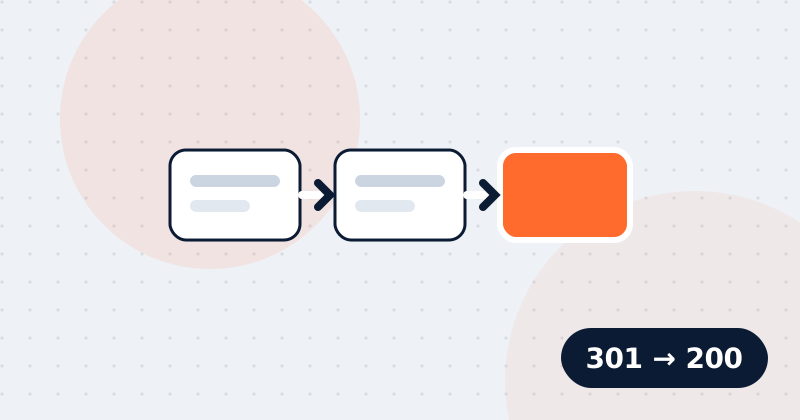
| 301 to a relevant page | 301 | Passes signals to the new URL |
Why do soft 404s matter?
Soft 404s waste crawling and hide real problems from you. Google keeps fetching URLs that look valid, and your analytics and monitoring may not count them as errors. On very large sites this can slow the crawling of pages that matter. Real pages with very little content can also be flagged as soft 404s and left out of search.
What causes soft 404 errors?
Most soft 404s come from a server or CMS that shows a friendly error message but forgets to send the error status.
Common causes on Indian education sites and elsewhere:
- A custom "Page not found" template served with status 200
- Expired course batch pages, such as "Admissions for the June batch are closed", with nothing else on the page
- Empty category or city pages, like "No courses found in Nagpur"
- Internal search result pages with no results
- Old pages mass-redirected to the home page
- Single-page apps that show an error view without changing the status code
- Pages whose main content failed to load because of a JavaScript or API error
How do you find soft 404s?
Open the Page indexing report in Google Search Console and look for the reason "Soft 404". Click it to see example URLs. Then inspect a few with the URL Inspection tool to see what Google received.
You can also test your server directly. Visit a made-up URL on your site, such as /this-page-does-not-exist-123, and check the status code in your browser's developer tools under the Network tab. It should be 404, not 200.
How do you fix a soft 404?
The right fix depends on whether the page should exist at all, and whether a close replacement is available.
| Situation | Fix |
|---|---|
| The page is gone and has no replacement | Return 404 or 410 |
| The page moved, or a close replacement exists | 301 redirect to the replacement |
| The page is real but nearly empty | Add useful content |
| The page is temporarily empty | Keep it useful, or noindex it until it has content |
For an expired batch page, the best option is usually to keep the URL and update it with the next batch dates, fees and syllabus. For a course you have stopped offering, redirect to the closest course or return 410. For thin pages, see our guide to thin content.
Google lists these options in its documentation on HTTP status codes and soft 404 errors.
How do you fix soft 404s in a single-page app?
In a JavaScript app the server often returns 200 for every route. Google suggests two fixes. Either redirect with JavaScript to a URL that returns a real 404 from the server, or add a noindex robots meta tag to error views.
<meta name="robots" content="noindex">Server-side rendering frameworks usually let you set the status code directly, which is the cleaner option.
What are the most common soft 404 mistakes?
Most repeat soft 404 problems come from fixes that change what visitors see but not the status code.
- Redirecting every removed page to the home page. Google may still treat these as soft 404s.
- A custom 404 page that looks right but is served with 200.
- Fixing the template but leaving old error URLs in the sitemap.
- Returning 404 for pages that only failed to load briefly. Fix the server or API error instead.
Soft 404 checklist
- Request a made-up URL and confirm it returns 404.
- Check the "Soft 404" list in Search Console's Page indexing report.
- Decide for each URL: 404 or 410, 301, or more content.
- Remove error URLs from your XML sitemap.
- Make sure your custom error page is helpful, with search and links to main sections.
Spider's page audit requests a non-existent URL on your site and flags a soft 404 if it returns 200 or redirects, and it checks the HTTP status of every page you audit or crawl.
Check this on your own site
Spider's free check tests this and about 100 other things on any page, and links each problem to a guide like this one.